BurnBin link
A managed short URL through your shared BurnBin server. It rotates automatically to reduce long-running exposure.
Portable file sharing from your own PC
BurnBin turns your Windows machine into a temporary file drop with short-lived public links, optional return uploads, and clear endpoint health checks.
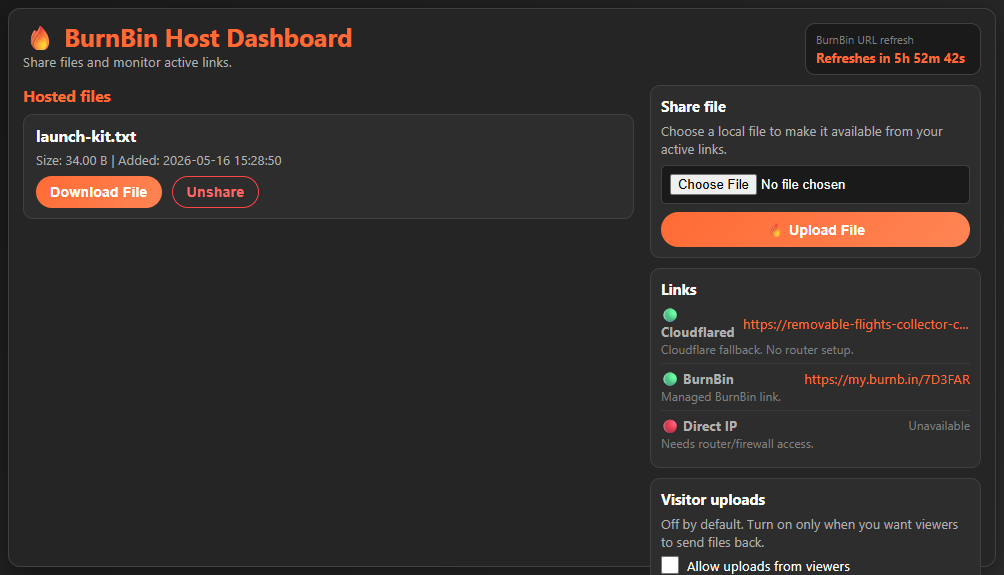
Host dashboard
The tray app opens a focused desktop dashboard with hosted files, unshare controls, endpoint status, link rotation timing, and visitor-upload permissions in one place.
Get the portable build
Endpoint-aware sharing
BurnBin lists the managed BurnBin link, Cloudflared fallback, and Direct IP option so hosts can pick the fastest working path without guessing.
A managed short URL through your shared BurnBin server. It rotates automatically to reduce long-running exposure.
A free secure fallback when the tunnel is healthy, with propagation state shown before it becomes clickable.
The fastest route when router and firewall access are available. BurnBin attempts setup when possible.
Green means ready, yellow means checking or propagating, and red means unavailable.
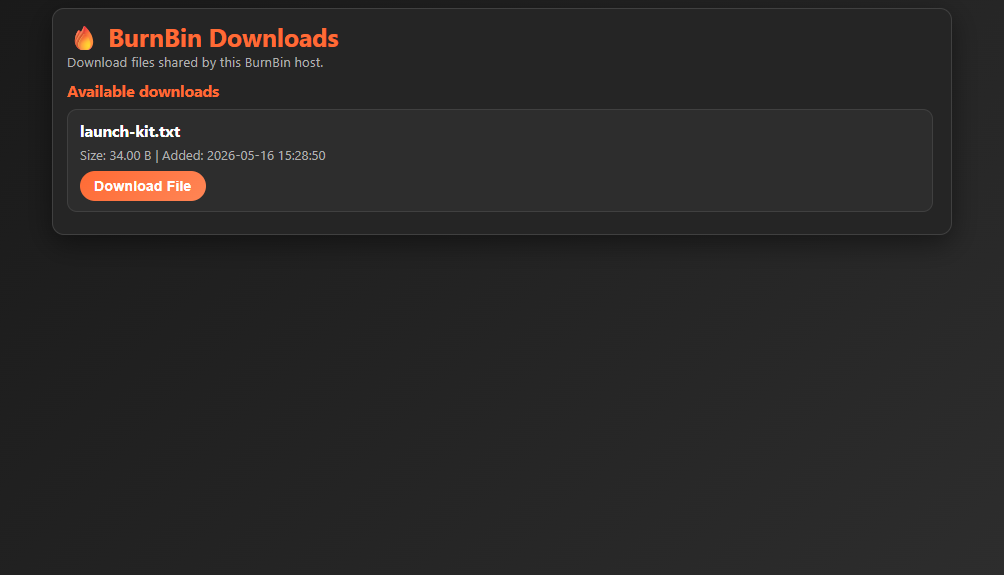
Viewer downloads
Shared files appear on a simple public page without exposing host-only controls or settings.
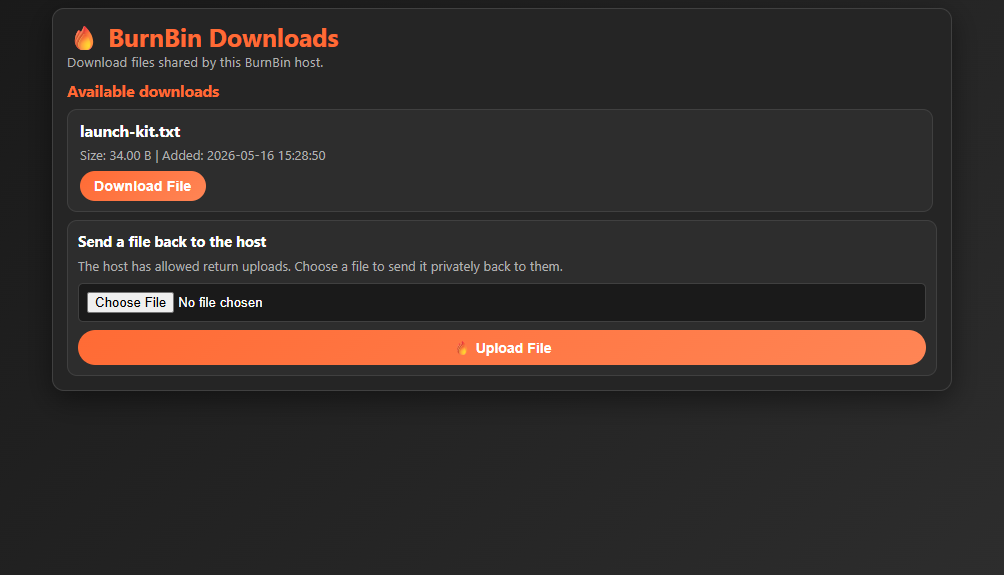
Return uploads
Visitor uploads are off by default. Turn them on temporarily when you want a recipient to send something back.
BurnBin
Run the portable Windows build, choose a file, and share a temporary link from your machine.
BurnBin rotates the managed URL and removes the old route. The previous link stops resolving — and because your PC was the host, no copy exists anywhere else.
On your own machine, and only there. BurnBin serves files directly from your Windows PC; nothing is uploaded to a cloud.
Yes — name-your-own-price on itch.io, shipped as a portable EXE.